
Stop doomscrolling at your desk
Tuck blocks distracting apps on your iPhone while you work or study on your Mac. Need your phone? Walk away from your desk and your apps unlock.


How Tuck works
Set it up once, then start a session whenever you sit down to work.
- 1
Pair your iPhone and Mac
Open Tuck on your Mac and scan the code with your iPhone. There's no account to create.
- 2
Choose the apps to block
Pick the apps that pull you away from work. Tuck blocks them with Apple's Screen Time.
- 3
Start a session on your Mac
Start a 25- or 50-minute session from the menu bar, or run one with no timer.
Start a session from the menu bar
Writing, coding, studying or clearing your inbox? Pick 25 minutes, 50 minutes or no timer and press Start. Your iPhone locks your apps right away.


Your distracting apps stay locked
- Meet Tuck, the hedgehog on your iPhone.Meet Tuck, your iPhone's hedgehog.
- Start a session on your Mac, and Tuck gets to work.Start a session on your Mac.
- Tuck grabs the apps you picked. Games, News, the group chat, whatever pulls you in.Tuck grabs the apps you picked.
- And holds them until you step away. Calls and Emergency SOS still work.Locked until you step away.


 Calendar







Step away from your desk to unlock
Carry your iPhone about 3 meters (10 feet) away, or into another room, and your apps unlock. Come back and they lock again.
Your apps also unlock whenever your Mac is locked or asleep, and lock again when you're back.
Tuck has personalities
Open a locked app and see who shows up. Sleepy, strict, a little sassy, sometimes all three. Tuck doesn't like being asked twice. We'll let you meet the rest yourself.
 shh. the feed's sleeping.
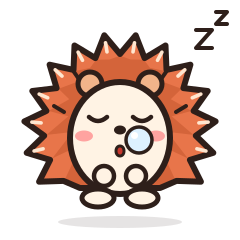 nope. the feed is napping.
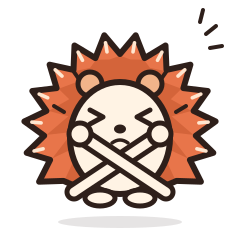 the feed's tucked away for now.
Free to use. Pay once for more.
No subscription. Upgrade to Tuck Pro in the app whenever you need it.
Free
$0- Block up to 4 apps
- 25-minute, 50-minute and no-timer sessions
- Unlimited sessions
Tuck Pro
Pay once, keep it- Block up to 50 apps and 50 websites
- Block whole app categories
- 90-minute and custom timers
- One purchase covers your iPhone and Mac
- Family Sharing included

Private by design
No account, no servers, no analytics and no ads. Everything Tuck knows stays on your iPhone and Mac. Read the privacy policy
Frequently asked questions
Do I need both an iPhone and a Mac?
Yes. The Mac app starts and ends your focus sessions, and the iPhone app does the blocking. You need an iPhone with iOS 17 or later and a Mac with Bluetooth running macOS 14 or later.
Is Tuck a good focus app for studying?
Yes. Start a session on your Mac when you sit down to study, and the apps you picked stay blocked on your iPhone while you're at your desk. Need a break? Walk away from your desk and your apps unlock.
Can people still reach me during a session?
Yes. Phone calls and Emergency SOS always work, and any app you don't choose to block works as usual.
What if I need my phone during a session?
Walk about 3 meters (10 feet) away from your Mac and your apps unlock within about 20 seconds. You can also end the session early from the Mac.
What happens when my Mac sleeps?
Blocking pauses whenever your Mac sleeps or locks, and your apps unlock as soon as the session ends.
Does Tuck work like a Pomodoro timer?
Yes. Sessions run for 25 minutes, the classic Pomodoro length, or 50 minutes, or with no timer. Your apps unlock on their own when the session ends. Tuck Pro adds 90-minute and custom timers.
How is Tuck different from Screen Time, Opal or Brick?
Most blockers work on a timer or a schedule, or need a separate gadget you tap. Tuck works by distance instead: during a session, your apps stay blocked while your iPhone is near your Mac and open when you walk away. There's no gadget to buy and no schedule to set.
Is Tuck Pro a subscription?
No. Tuck Pro is a one-time purchase. It unlocks on every iPhone and Mac signed in to the same Apple Account, and you can share it with your family through Family Sharing.
What data does Tuck collect?
None. There's no account and no server, and Tuck doesn't use analytics or ads. Everything stays on your iPhone and Mac.
More questions? Visit Tuck support.
Go do the thing
Tuck is on the job, keeping distracting apps out of reach until your work is done.